How to Do a Great Code Review: A Checklist for Senior Devs
A practical guide for reviewing pull requests with senior-level judgment: business context, team conventions, design, human tone, and when to use AI or bring in other specialists.
A code review isn't a test to prove who knows more — it's a quality mechanism, a knowledge-sharing tool, and a way to stay aligned with the product. As a senior, your role often includes modeling how feedback is given: rigorous on what matters, proportional on what doesn't, and always focused on helping the team ship value with fewer surprises in production.
Here's a practical walkthrough for experienced reviewers, with golden rules at the end and links to useful official documentation.
Before You Look at the Diff: Know the Rules of the Game
The first thing to check isn't the code — it's your team's implicit contract for how software is written and how the product should look and behave.
- Code style and patterns: Does the team prefer enums, named constants, or object literals for representing state? Are there guidelines for folder structure or module boundaries? If a PR contradicts those decisions without explanation, that's a conversation to have — not a reason to shame the author.
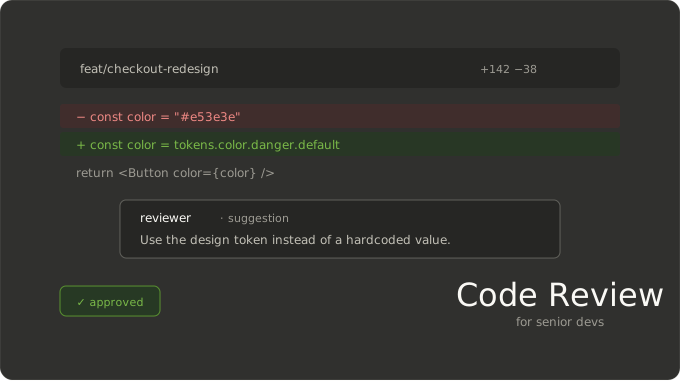
- Design and UI: If the project uses a design system or CSS tokens, colors, spacing, and typography should come from there. If you spot a hardcoded color or a font that's not in the catalog, flag it: sometimes a comment suggesting the right token is enough; other times it's worth a quick chat with the design team before you block or approve blindly.
- Accessibility and i18n: Component naming, visible text, and keyboard navigation are often part of the team's standards. Review them with the same seriousness as business logic.
Without this framework, you're just sharing personal opinions. With it, your comments teach the system everyone is working within.
Start with Context (Business + Intent)
Without context, there's no real review. Read the PR description, the linked ticket or issue first, and ask yourself whether the git history will still tell the story six months from now. The why should live in the PR itself — not just in Jira or another external tool.
Think about business context: many changes affect user flows or processes. A review isn't just "does it compile?" — it's "does this flow make sense for the business and the user?" If context is missing, your first piece of feedback might simply be asking for that clarity before diving into individual lines.
Also, block off real time to review. If the calendar doesn't allow for it, the org ends up with rubber-stamp "LGTM" approvals — and that's a process problem, not just an individual one.
How to Work Through a PR Without Getting Lost
GitHub's documentation on reviewing proposed changes recommends a systematic approach:
- Go file by file, leave inline comments on specific lines, and mark files as Viewed so you don't lose your place.
- Use the sidebar (issues, milestones) to understand intent — or, if your team allows it, AI tools to summarize large diffs. Always verify the output yourself.
- If the PR touches dependencies, use the enriched manifest/lockfile review when available. Don't rely solely on the text diff.
Keeping a scratch pad while you read helps: jot down questions like "what happens if…?" or "how does this interact with Y?" By the end, whatever's still open becomes a useful comment instead of a forgotten impulse.
Where to Focus (Especially as a Senior)
Module Boundaries and Public API
Getting the boundaries right — what other modules consume: HTTP APIs, hooks, exported services — usually matters more than polishing every internal detail. Ask yourself: is this easy to use for someone new to the codebase? Could the typing or invariants be enforced by the type system instead of relying on "hopefully no one makes a mistake"?
Changes That Are Hard to Undo
Prioritize what leaves a lasting mark: security, permissions, data migrations, API contracts, error semantics. A "minor detail" in these areas is never just cosmetic.
Tests
Don't confuse "there are tests" with "the right behavior is tested." Tests should verify the intended behavior, not just make trivial assertions pass. Check test names, happy paths, and critical error cases. If the PR is large or mixes refactors with new features, ask for it to be split up — review cost tends to grow faster than PR size.
Conventions and Cleanup
Conventions matter, but they're the most superficial layer if the business logic or design is wrong. Order your comments accordingly: business flow and design first, naming and style second.
Calibrate Your Level of Scrutiny
As a senior, this becomes instinctive: how closely you review depends on who's writing and which module they're touching. A regular maintainer of an area can receive feedback in a different tone than someone new to it. A critical module deserves more time than an experiment that will likely change again. It also matters whether the author tends to follow through on "I'll fix it in a follow-up" — that changes how much you require resolved in this PR.
ROI of Each Comment
Before posting, ask yourself: is the change I'm requesting worth the cost of a redeploy, re-test, or rework? If your observation triggers a large refactor, it might be better as a separate ticket or a quick sync with the author or tech lead — rather than an endless GitHub thread.
Tone: Clear, Useful, and Respectful
The goal is to help, not to show off.
- Talk about the code or the design, not the person: "This could be..." instead of "You always...".
- Be specific: what to change, why (team convention, risk, readability), and if possible, a concrete suggestion or example.
- If the PR has significant issues, a short call often saves more time than twenty back-and-forth comments.
- Approve with comments ("LGTM with suggestions") when you trust the author to close out minor details without another full review round.
AI as a Copilot, Not an Oracle
Tools like GitHub Copilot or similar can help you summarize long diffs, draft comment phrasing, or spot repeated patterns — but always review the suggestions and make sure they align with your company's internal policies on data and code. AI speeds up reading; the responsibility for the review is still yours.
Tag the Right People
If the discussion touches specialized domains — billing logic, security, database performance, advanced accessibility — you don't have to resolve it alone. Tag someone in the PR who has deep experience in that area. It reduces bottlenecks, improves the quality of the discussion, and reinforces the idea that the code belongs to the whole team.
Golden Rules
- Context before lines: business context, ticket, and clear PR description first.
- Team standards before personal taste: tokens, typography, agreed-upon patterns.
- Boundaries and risks before nitpicks: API contracts, data, security.
- Be ROI-conscious: not everything is worth blocking a merge over.
- Actionable, respectful comments: tone is part of the deliverable.
- Divide and conquer: large or mixed PRs should be split, or at least come with a review guide.
- Approve when it's time: unblocking with informed confidence is also part of the job.
Final Check Before You Submit
Before you hit submit, pause for a moment. Is the what and the why clear in the PR or ticket — or does it need another round of context before you dig into the diff? Does the business flow make sense to you? If not, have you noted which part concerns you and why?
On the technical side: focus on the surfaces others will consume — APIs, contracts, types — and on what would be expensive to undo. If tests don't cover what would hurt most to break, say so explicitly rather than assuming someone will add them later. On the UI side: check that tokens, typography, and system conventions are consistent. If something looks off from a design perspective, either flag it with a specific rationale or bring in the right person — don't improvise design judgment on your own.
On feedback: every comment should have a clear point and, when possible, a suggested next step. The tone should help the person reading it. If the topic is outside your area, pull in someone who has real experience there. And when you close out — whether that's approving, leaving minor suggestions, or requesting real changes — make sure that decision reflects the actual risk and how the author typically responds.
Documentation and Reference Guides
- Reviewing proposed changes in a pull request — GitHub Docs
- Code Review — Engineering Practices — Google Engineering